
Live demo: try the admin before you install
Updated: November 20, 2026
Before you buy a CMS, you want to know one thing: will I enjoy working in it every day? Feature lists won’t tell you that. Seeing the real admin will.
The Tubes Booster demo shows the same admin panel and default theme our customers use every day. You don’t need an account, a card or a server. Just log in and look around.
Open the demo
- Your future website: demo.tubesbooster.com
- Your future admin: demo.tubesbooster.com/admin
- Email: demo@tubesbooster.com
- Password: demo123
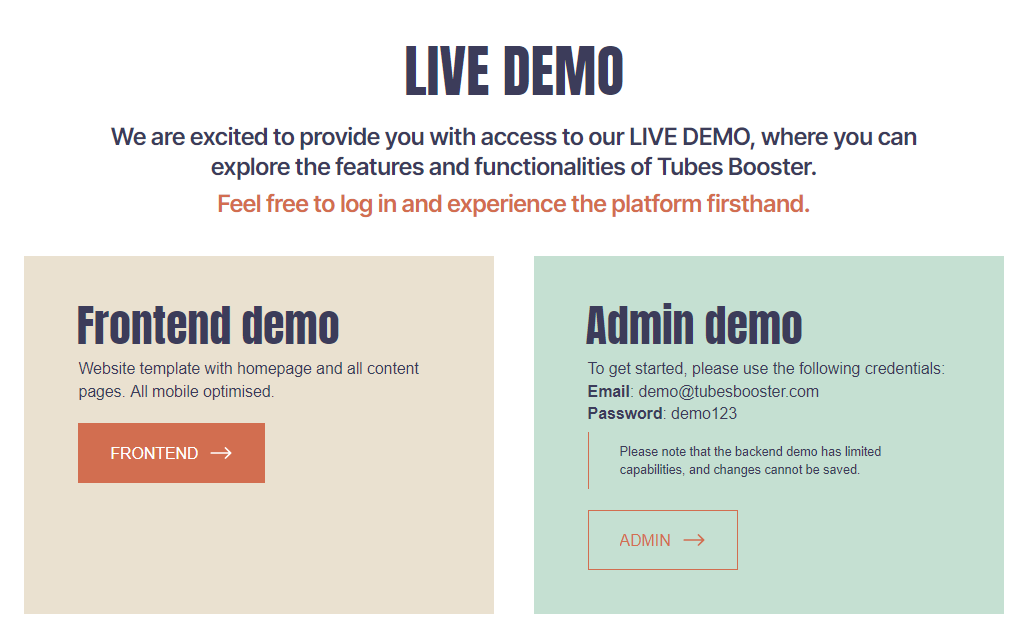
The demo is view-only. You can open every screen and look through every form and setting, but nothing can be added, edited or saved.
Tip: Open the website and the admin in two tabs side by side. That way you can see each part of the admin next to the page your visitors would get.
A 10-minute guided tour
Running a video site comes down to a few daily jobs: adding content, organizing it, earning from it and getting found. This tour follows that order. Each stop tells you where to look and what to pay attention to.
1. The video editor (2 minutes)
Look at: Videos › New
This is the screen you’ll use more than any other. Look through the fields: title, description, thumbnail, categories, tags, channel and model. Then open Videos › All to see how your library is listed and filtered.
Ask yourself: Could I work comfortably on this screen every day?
2. The Video Grabber (2 minutes)
Look at: Videos › Import
Most successful tube sites don’t upload everything by hand. On your own site, the Video Grabber pulls in videos from sites like xvideos, Pornhub, xHamster and YouTube with one link, and it brings the title, thumbnail and tags along.
Ask yourself: How quickly could I fill a new site with this?
3. How content is organized (1 minute)
Look at: Settings › Categories, then Channels and Models
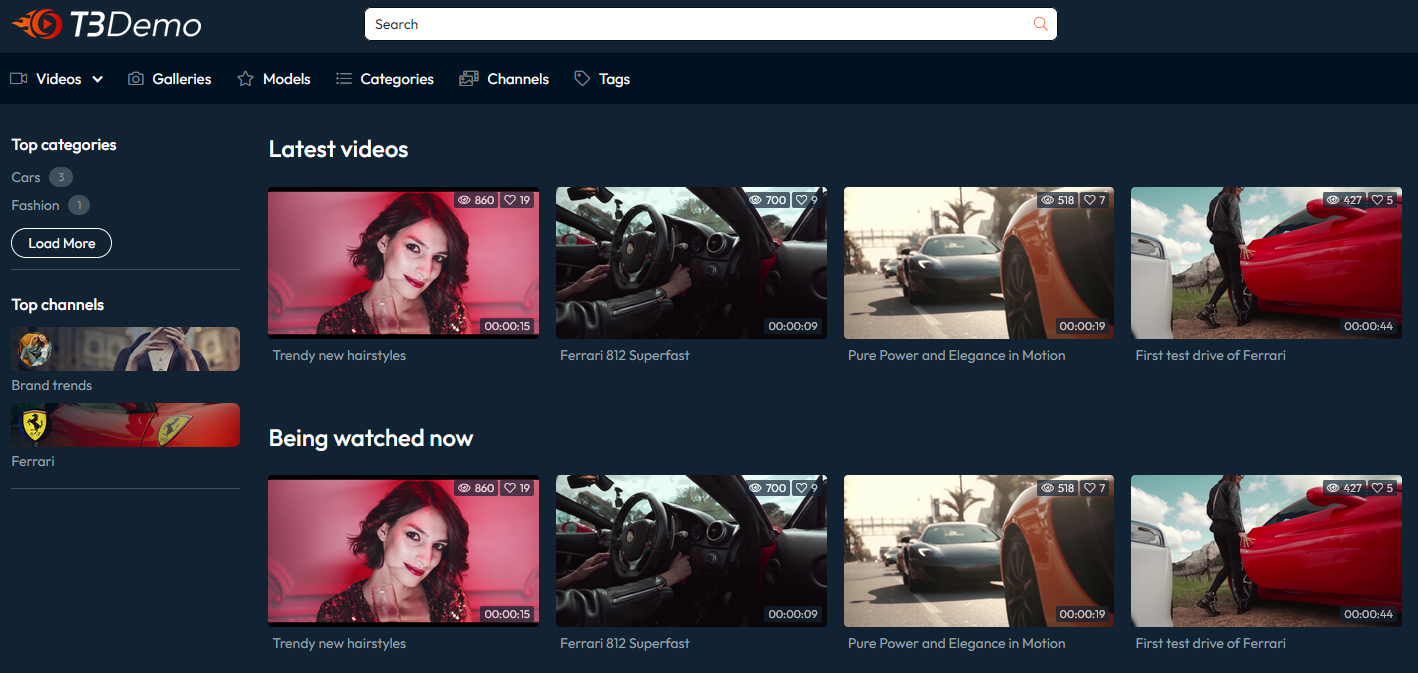
Visitors browse by category, studio and performer, and you can add subcategories and tags too. Switch to the website tab to see how these pages look to a visitor.
Ask yourself: Does this structure match the niche I have in mind?
4. Where the money comes from (2 minutes)
Look at: Advertisement
These are your ad placements. On your own site, you paste the code from your ad network and choose where each ad appears. Nothing is hard-coded and nothing is locked.
Ask yourself: Can I put ads where my traffic will actually see them?
5. Branding and SEO (2 minutes)
Look at: Settings › Appearance and Settings › SEO & Analytics
This is where you set your logo and colors, fill in the SEO fields and connect analytics. It’s how your site stops looking like a template and starts showing up in search.
Ask yourself: Could I launch a site that looks like my own brand?
6. The site your visitors see (1 minute)
Look at: the website, on your phone
Open the homepage, a video page, a category and a gallery. Most adult traffic is mobile, and the theme is built mobile-first.
Ask yourself: Would I stay on this site?
Good to know
- The demo is for looking, not testing. You can’t add videos, change settings or import content in it. On your own installation, everything you see here works.
- The sample content is small. The demo has only a handful of videos. Your site will hold as many as your server allows.
- Some features only show their results on a live site. Video processing (thumbnails, hover previews, HLS streaming), watermarks, S3/CDN storage, AI content generation and one-click updates run on your own server.
What you get when you buy
- The full Video CMS plus the default theme for $49, paid once, for one domain
- 6 months of updates included, then $49 a year if you want to keep getting new releases
- The full source code on your own server: your content, your data, your rules
Next steps
- Check your server. Tubes Booster needs a VPS; shared hosting isn’t enough. See Server & Requirements.
- Choose how to install. You can install it yourself, or have our team set it up for $39 with our Installation service.
- Get your license on the Pricing page. Not sure yet? Read our refund policy.
Still unsure? Message us with the chat bubble in the bottom-right corner, or contact us, and tell us what kind of site you’re planning. We’ll tell you honestly whether Tubes Booster fits.



