
New Feature: The Self-Install Application Is Now Available!
We’ve been working on this feature for quite some time. The goal was simple — make the installation process faster, easier, and completely under your control. Until now, we handled installations manually, which meant users had to provide server access and wait for the setup to be completed. That’s no longer necessary. We’re introducing our new Self-Install application, allowing you to install the system yourself without sharing any server credentials.
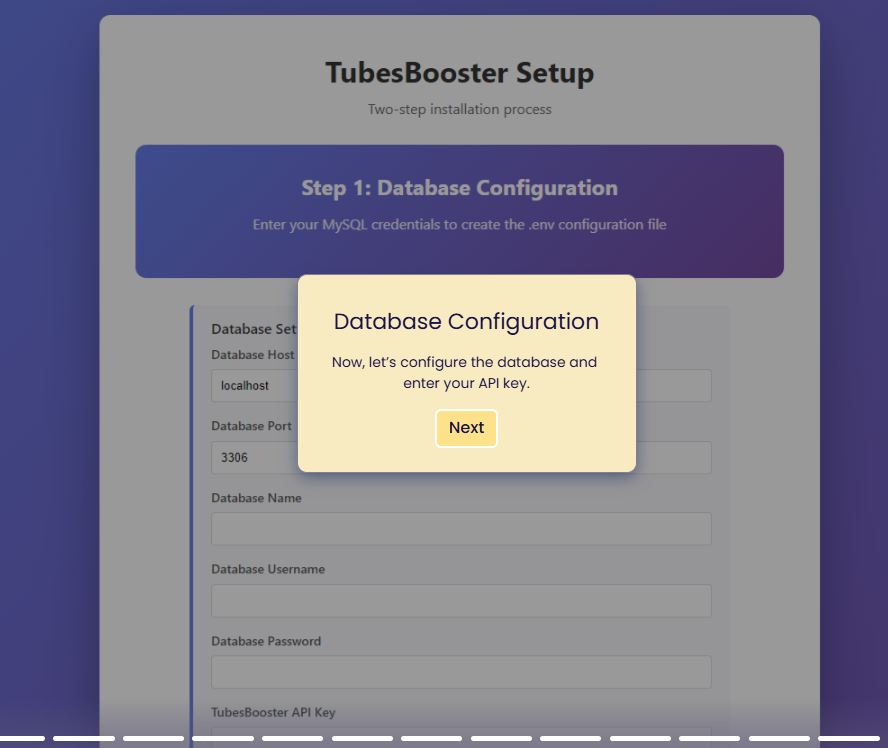
The process is very simple and surprisingly fast. If your server and database are already prepared, the installation wizard takes less than one minute to complete. The installation works very similarly to WordPress, so if you’ve ever installed WordPress before, the process will feel very familiar. There are no complicated steps and no technical traps.
What do you need before starting? A registered domain, web hosting (VPS or a dedicated server), and a created database with a database name, username, and password. After purchase, you will immediately receive the installation files, admin login credentials, and your API key. You simply create a database in your hosting control panel and enter these details into the installation wizard.
If you want to see the full process step by step, we prepared a complete guide for you:
👉 Self-Install tutorial (step-by-step guide)
If you prefer video, we also prepared a complete video walkthrough where you can see the entire installation process in action:
👉 Video tutorial – self-install walkthrough
The Self-Install application is a big step forward for us. It gives you more freedom, faster deployment, and a more professional way to launch your own video platform. And if you run into any issues during installation, feel free to contact us — we’ll be happy to help.



